
How do I share an album?
Send the link, then send the 4-digit PIN in its own message. The share screen has a button for each: text, email or copy the link, then Send the PIN as a second message.
For an event, the first part is done for you. Send the album gives everyone who left something their own link, and that link needs no PIN. The link and PIN are for people who were not there.
The two messages
- The first message carries the link. It reads: "Here's the album from Maya: gooya.app/a/…"
- The second carries the PIN. It reads: "The PIN for Maya's album is 4 digits"
- The share screen says it in one line: Send the PIN in its own message, never with the link.
- You can also just say the PIN. Read it out at dinner, or over the phone to the one relative who never opens a text.
Where the share screen is
- In the app, open the event or album and go to its share screen. Send the album is first; Share a link and PIN is right under it.
- On the web, open the album from your dashboard. The same two sit on the album's page, with a view-only invite by name below them.
- If someone has the PIN but the link never reached them, they can open the album with its code, the short part at the end of the link, under Open a shared album in the app or on the Shared page of the web.
How far it goes
- A free private album takes the PIN on 3 devices; the Album plan raises that to 50. A device that gets in stays in for a month.
- To stop sharing, set a new PIN or switch sharing off on the share screen. Either one signs out every device at once.
- Whether PIN holders can add their own photos to an event's album is a switch on the same screen, and part of a paid event. A private album with no event is for looking; you add to it yourself.
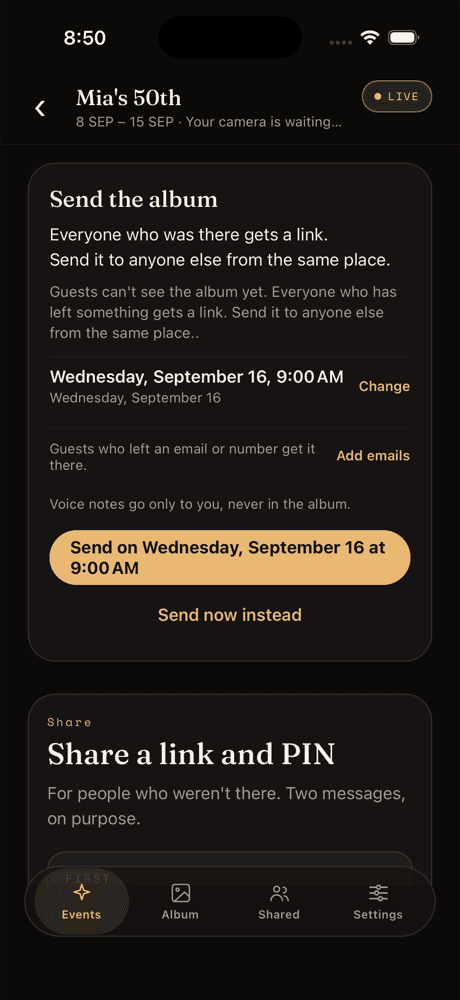
The share screen in the app.
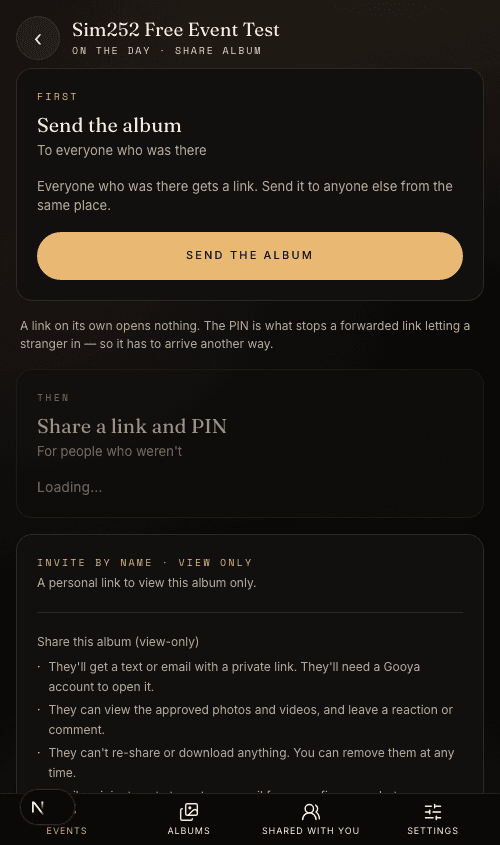
The same screen on the web dashboard.
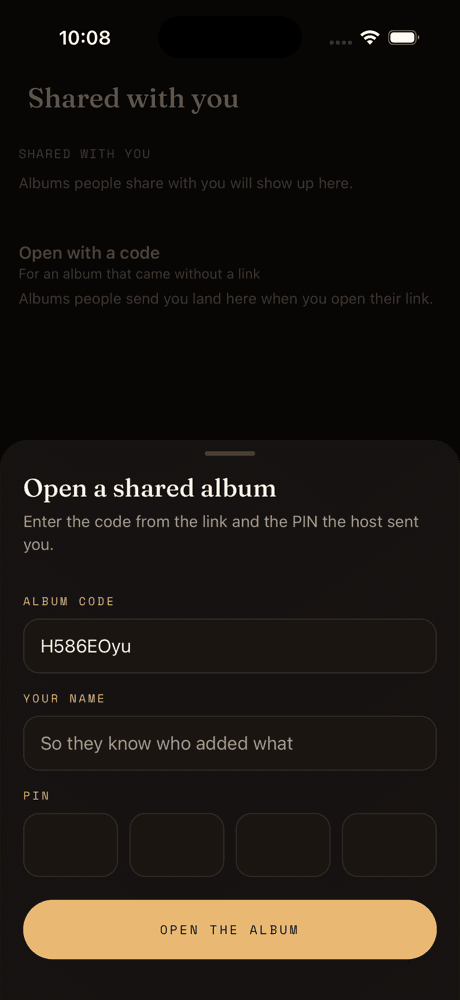
Open a shared album, for someone who has the PIN and the code but not the link.
Share an album in three steps
From the share screen, in the app or on the web.
Step 1
Send the link
Text it, email it or copy it into any chat. On its own it shows the album's cover and asks for the PIN.
Step 2
Send the PIN
Tap Send the PIN for a second message, or say it out loud. Never in the same message as the link.
Step 3
They open it
A name, the PIN, and the album opens in their browser. Nothing is installed and no account is made.
Questions people ask next
How do I share an album?
Send the link, then send the 4-digit PIN in its own message. The share screen has a button for each.
Do I have to send a PIN to the guests who were at the event?
No. Send the album gives everyone who left something their own link, and that link opens without a PIN. The link and PIN are for people who were not there.
Can I share the album with someone who has no phone?
Yes. The link opens in any browser, on a laptop or a television, and the PIN is typed there.
How do I stop sharing?
Set a new PIN or switch sharing off on the share screen. Every device that had the old PIN is signed out at once.