
Private albums: share photos with a link and a PIN
A private Gooya album opens only for someone who holds two things: the link and a 4-digit PIN. Send the link one way and say the PIN another, and a forwarded link opens nothing on its own.
It works for an event's album after the night, and for an album you make from photos you already have. Nobody you send it to installs anything or makes an account.

Two kinds of album, one door
- An event's album. Guests add photos, films and voice notes on the day and see nothing anyone else added. When you send the album, everyone who left something gets their own link by email or text, and that link needs no PIN. For people who were not there, you share a link and a PIN.
- A private album with no event. There is no QR code, no date and no table card. You make it whenever you like, add from your own library, and share it the same way: a link and a PIN.
- The door is the same for both. The link on its own shows the album's cover and asks for a name and the PIN. Nothing inside is visible until the PIN is right.
What the PIN does
- The PIN is 4 digits, made when the album is shared. It never travels in the link, so a screenshot of a group chat with the link in it opens nothing.
- A device that enters the PIN stays in for a month. The same person on a second phone enters it again, and that counts as a second device.
- You can set a new PIN at any time. Every device that got in with the old one is out at once, everywhere.
- Guessing does not work. After 10 wrong tries the door closes for 15 minutes, and the PIN is stored the way passwords are stored, never in plain text.
What a viewer can do
- Look, comment and leave a heart. That is the whole list, on purpose. An album is not a feed and does not need threads about threads or a scoreboard.
- On an event's album you can also let people who hold the PIN add their own photos. That is a switch you turn on, and it is part of a paid event; a free event's link is for looking.
- Someone with the Gooya app finds every album shared with them under Shared with you, and can open one with its code and PIN if the link never reached them. Everything an album does also works in a plain browser.
What a free album holds
- It is kept for 7 days, counted from the day you make it.
- It holds 15 photos and films in total.
- Its PIN may be entered on 3 devices.
- The Album plan is a monthly subscription that covers every album you make: each is kept for as long as the plan runs, the item ceiling comes off, and the PIN may be entered on 50 devices. The price is shown where you subscribe, in your dashboard.
Where an album is the wrong tool
If you want a page anyone can open with no PIN, to put on a website or hand to a room of strangers, an album is the wrong shape. It exists to make a forwarded link useless on its own.
A private album carries photos and films. Voice notes belong to an event, and even there they go only to the host and are never in the album that gets sent.
And a PIN protects an album from a forwarded link, not from the person you gave the PIN to. If something in an album should not travel further, say so to the people you send it to.
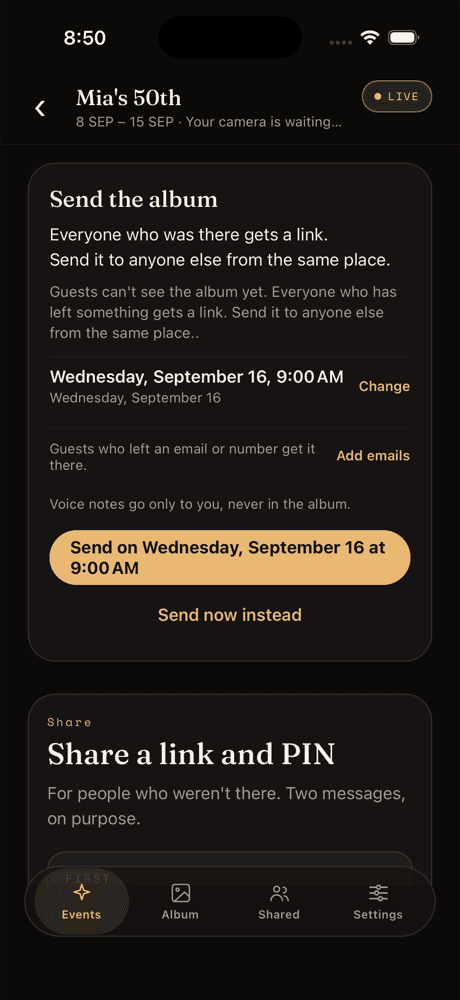
The share screen. Send the album to everyone who was there, then a link and a PIN for anyone who was not.
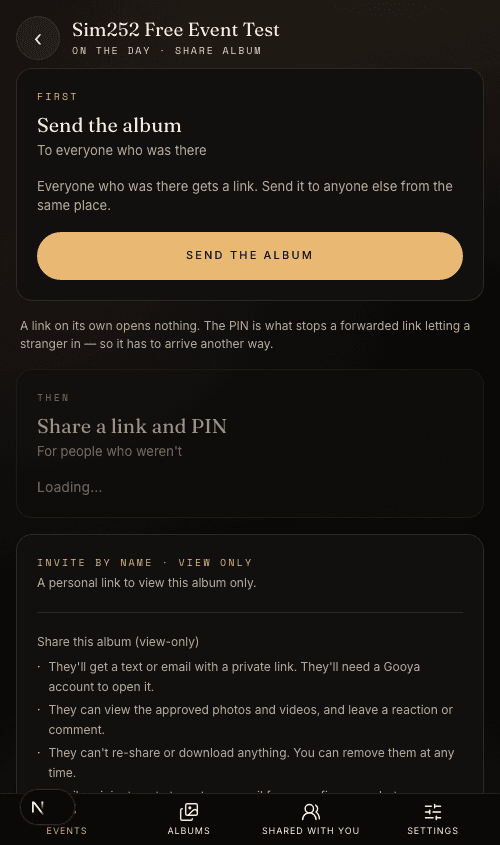
The same screen on the web. A host on Android or a laptop has every option the app has.
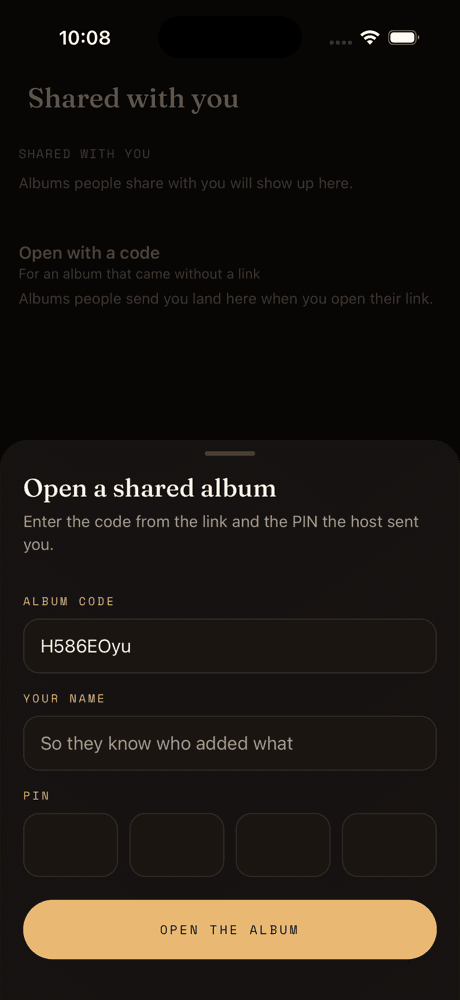
What a viewer fills in: the code from the link, a name, and the PIN the host sent separately.
How sharing works, in four steps
Two messages from you, one screen for them.
Step 1
Make the album
For an event, the album already exists. For photos you have now, make a new album and add them from your library.
Step 2
Send the link
Text it, email it or copy it. On its own it shows the album's cover and asks for the PIN.
Step 3
Send the PIN separately
A second message, or say it out loud. The 4 digits are what open the album.
Step 4
They open it in a browser
A name, the PIN, and they are in. That device stays in for a month, and nothing was installed.
Questions people ask next
Do the people I send an album to need the Gooya app?
No. The link opens in any phone or computer browser, and the PIN is typed there. The app only adds a place where albums shared with you collect.
What if I forget the PIN?
Open the album's share screen. The PIN is shown there, and you can set a new one, which signs out every device that used the old one.
Can someone add photos to a private album I shared?
A private album with no event is for looking, commenting and hearts; you add to it from your own library. An event's album can take photos from PIN holders when you turn that switch on, on a paid event.
Are voice notes in the album?
No. Voice notes go only to the host and are never in the album that gets sent or shared.
How long does a private album last?
A free album is kept for 7 days from the day it is made. On the Album plan it is kept for as long as the plan runs.